
Your whole school, in one calm place.
Attendance, timetable, homework, exams, fees and notices for admins, teachers and parents, on the web and on the phone.
Real KlassMint screens, shown with a sample school. Click any screen to enlarge it.
From the first bell to home time
Follow a school day and see the KlassMint screen used at each moment. Tap a period, or let the day play.
7:50 · First bell
Attendance before the first lesson
Teachers mark each section as present, absent, late or excused. Your school decides whether late counts as present and below which percentage a student is flagged.
- One tap per student, or mark all present
- Late and excused handled by your rules
- Parents see it the same day
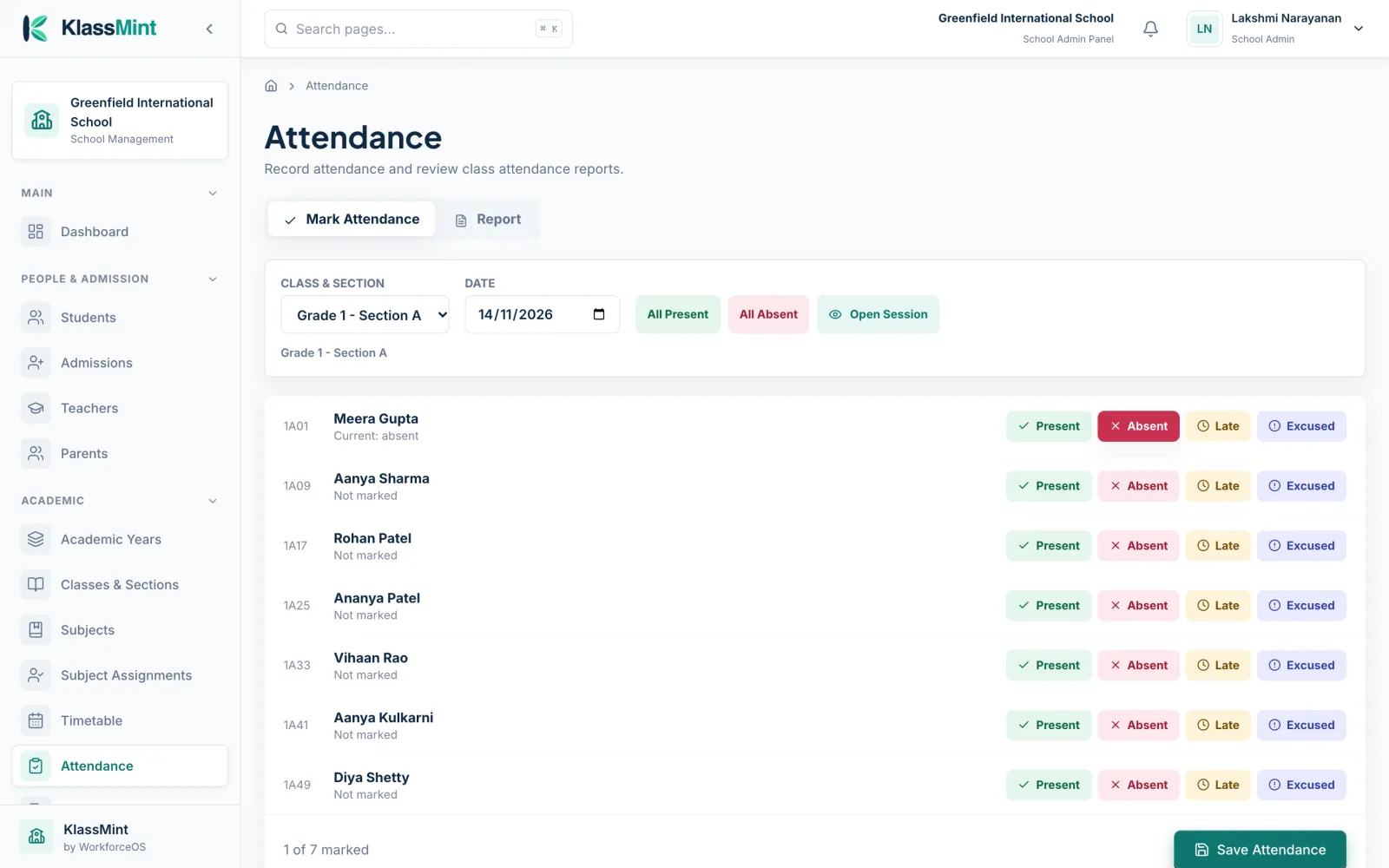
Mark attendance for a section in a few taps
8:30 · Lessons
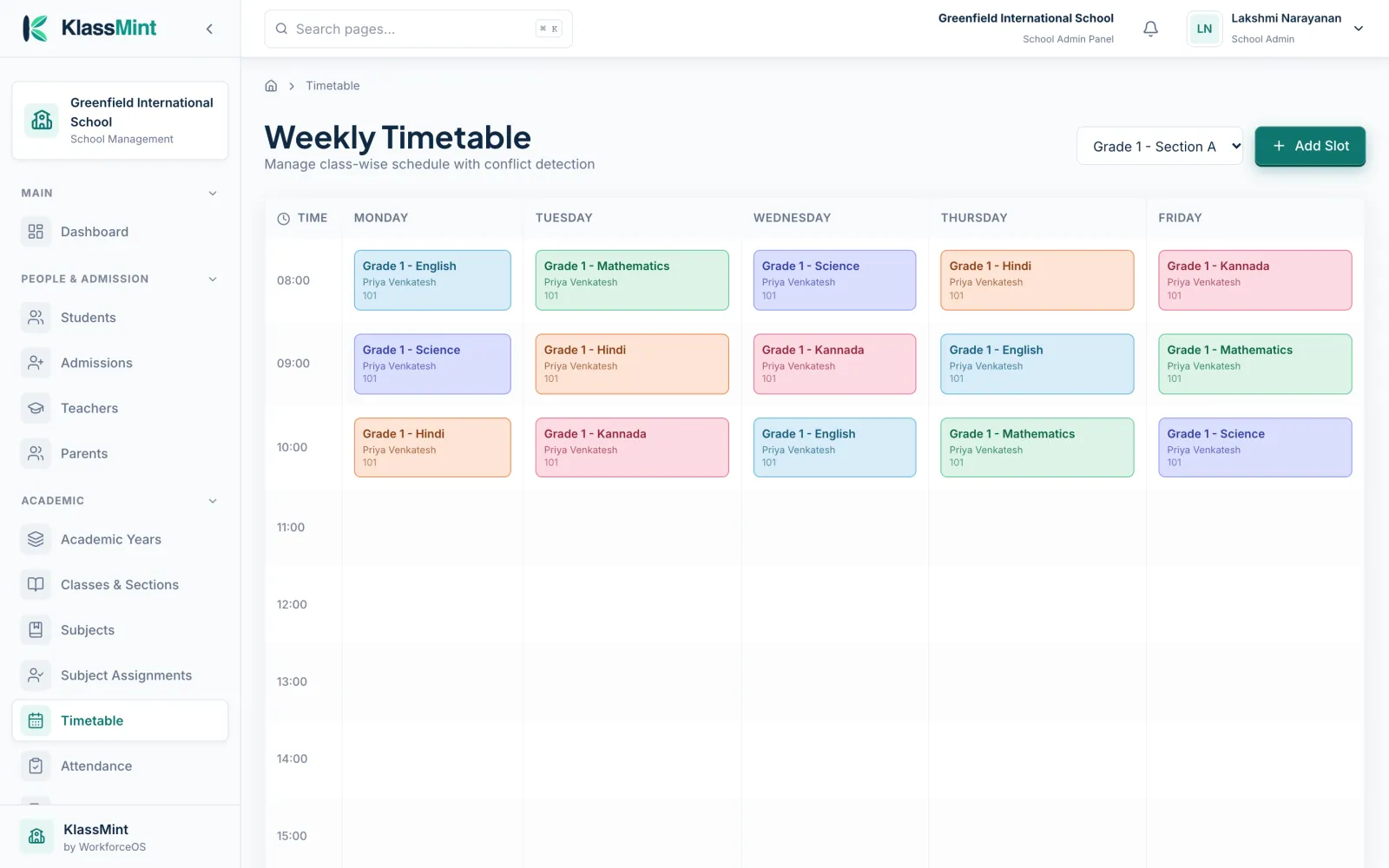
Everyone follows the same timetable
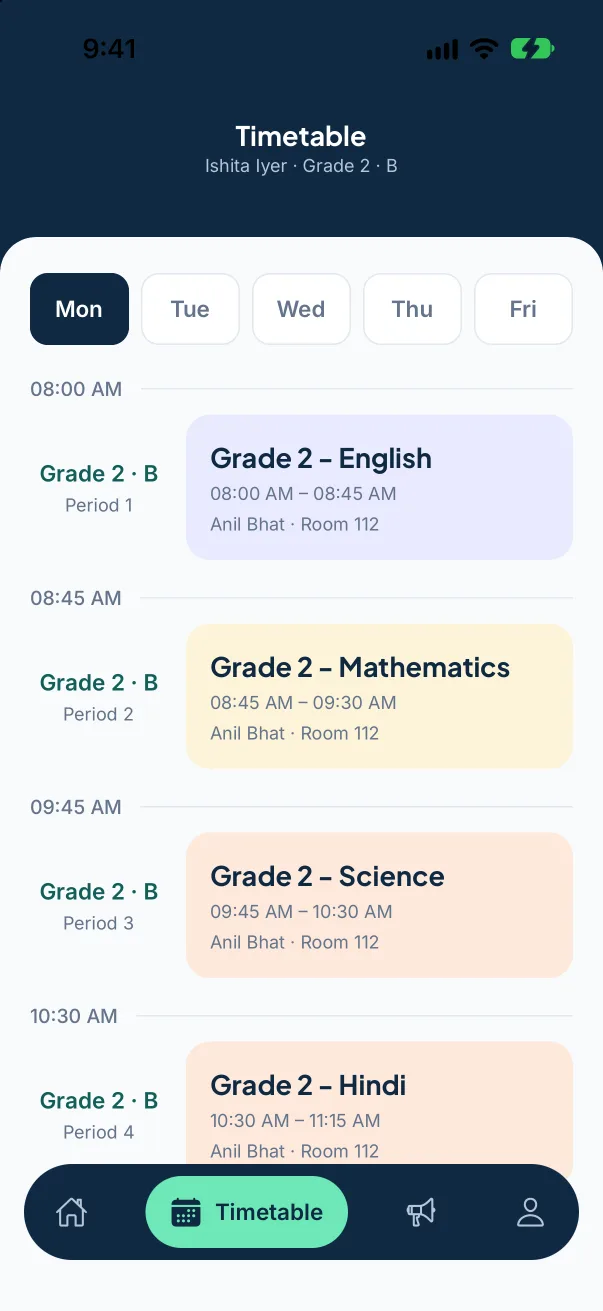
Build the weekly timetable once. Teachers see their periods, and parents and students see the day’s subjects, rooms and teachers.
- Colour-coded subjects
- Per section, per teacher
- On the web and in the app
Weekly timetable, colour-coded by subject
11:15 · Homework
Homework posted, not lost in a bag
Post homework with a due date for a class or section. Families see it as soon as it is published and teachers see who has submitted.
- Due dates and descriptions
- Submissions in one list
- Visible to parents and students
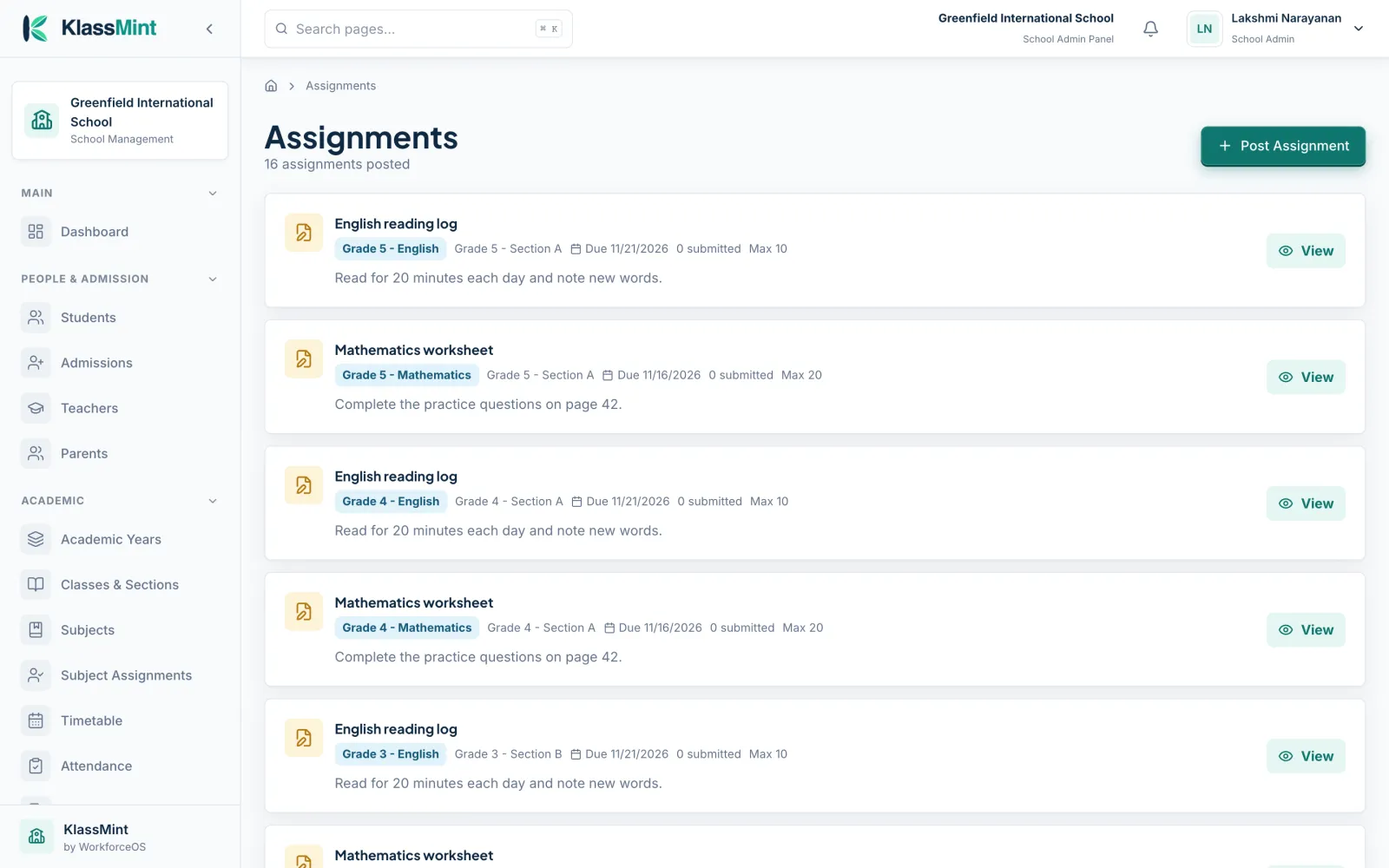
Homework with due dates and submissions
13:30 · Exams
Exams, marks and grades
Set up exams for each class, enter marks and publish results to families when you are ready.
- Exams per class and subject
- Gradebook for teachers
- Results shared with parents
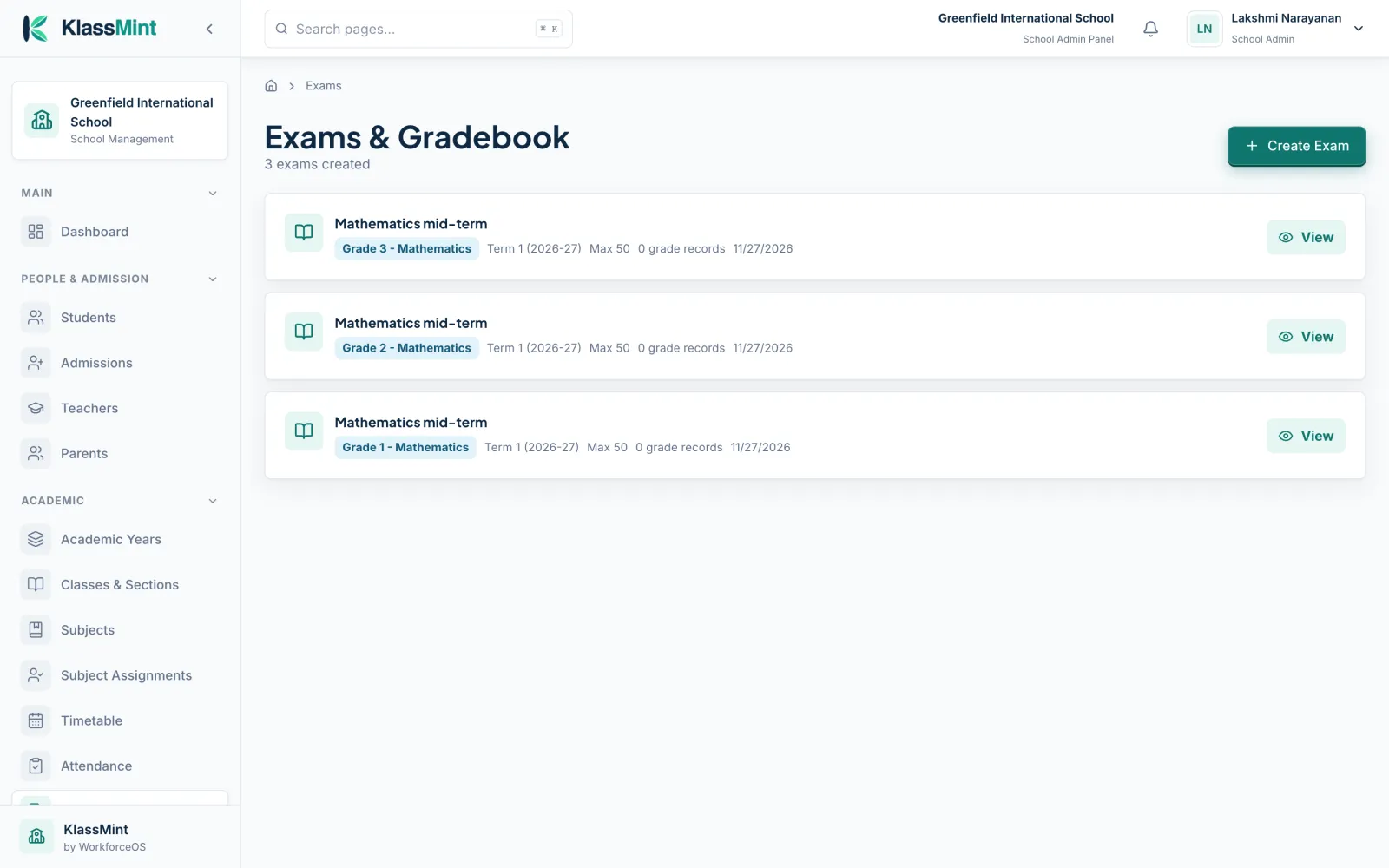
Exams and gradebook
15:00 · Fees
Fees collected without the queue
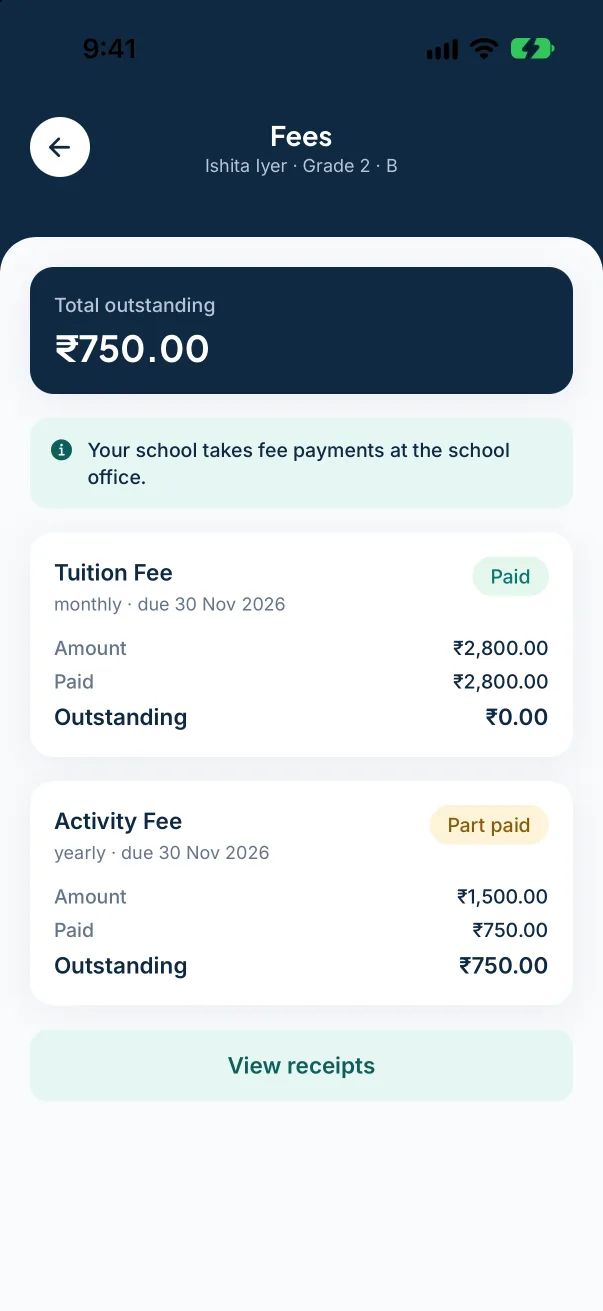
Create fee structures by class, collect payments online with Stripe or Razorpay, issue receipts and record refunds. Your school can allow part payments.
- Tuition, activity and other fees
- Receipts for every payment
- Email reminders for dues
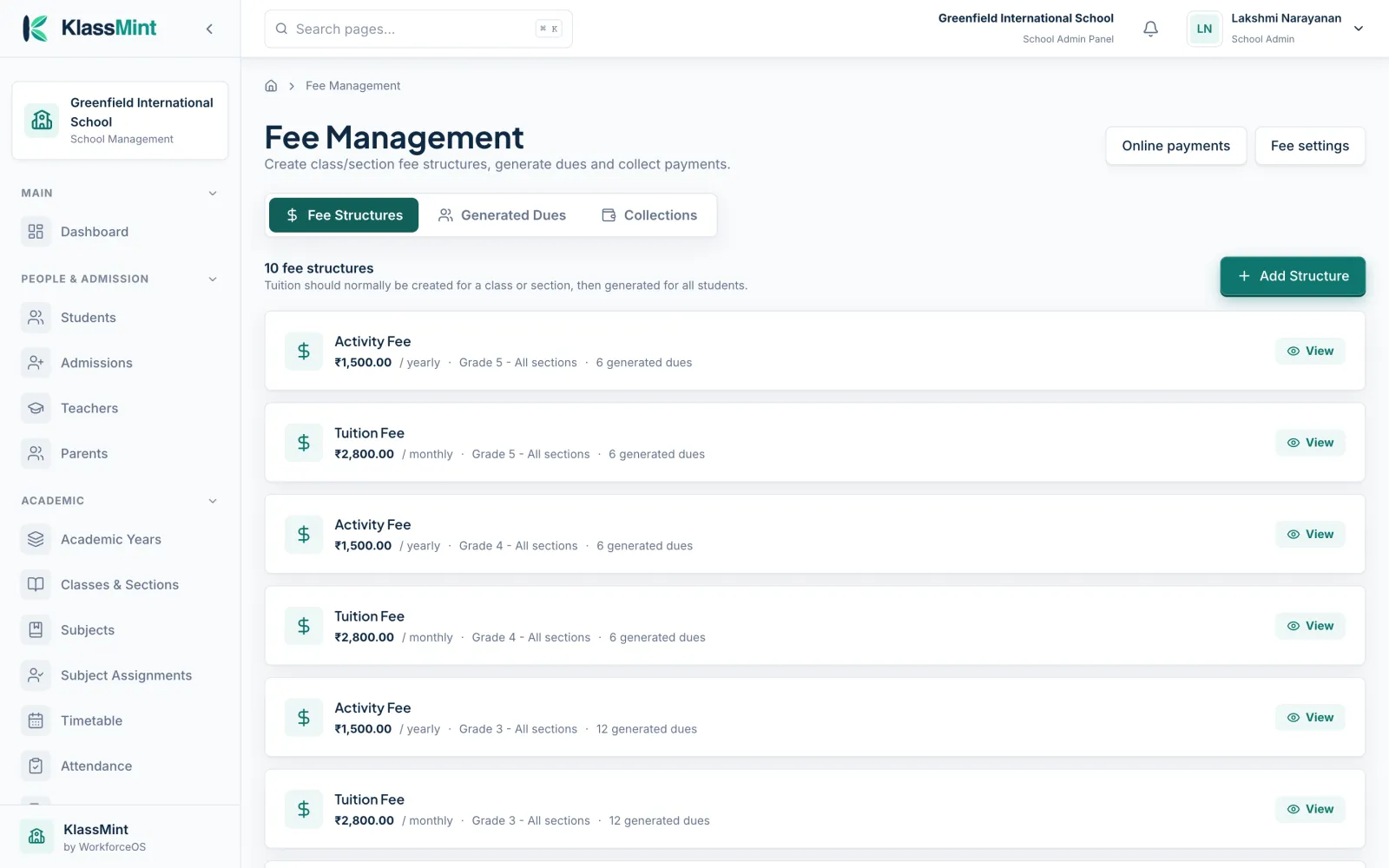
Fee structures by class and section
16:30 · Home time
Parents stay in the loop at home
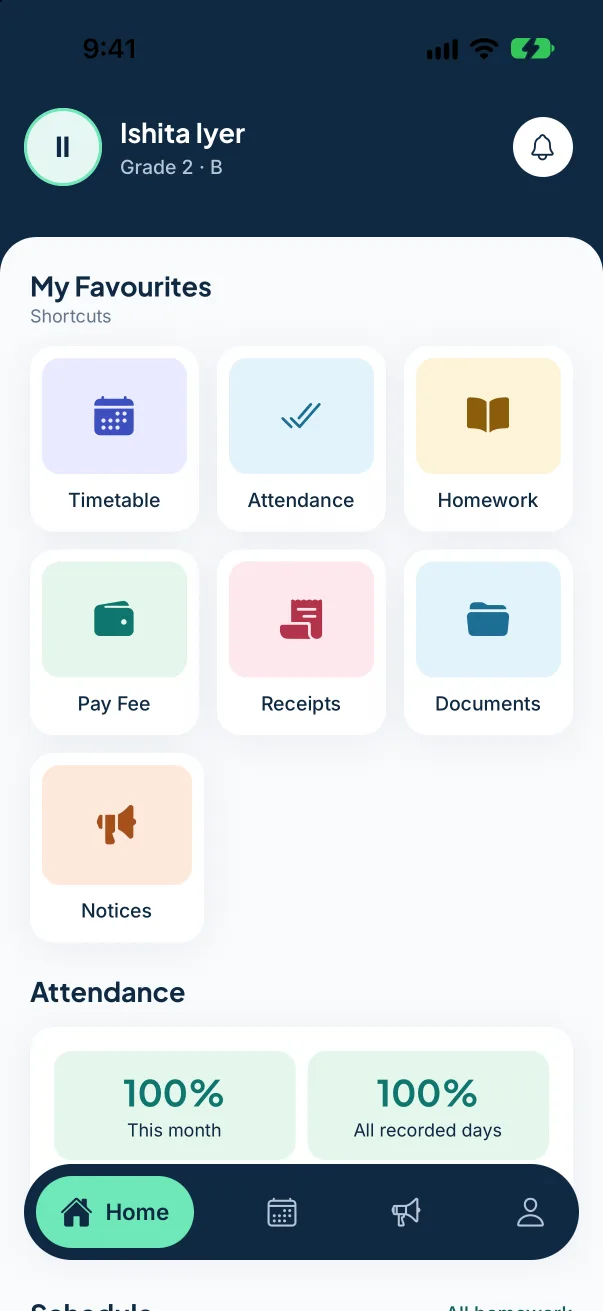
In the KlassMint app, parents check attendance, homework, timetable and fees for each of their children, and get notices as push notifications.
- One sign-in for every child
- Push notifications for notices
- iPhone and Android, coming soon
App home with shortcuts
Everyone gets the view made for them
Admins, teachers and parents sign in to their own dashboard, all working from the same records.
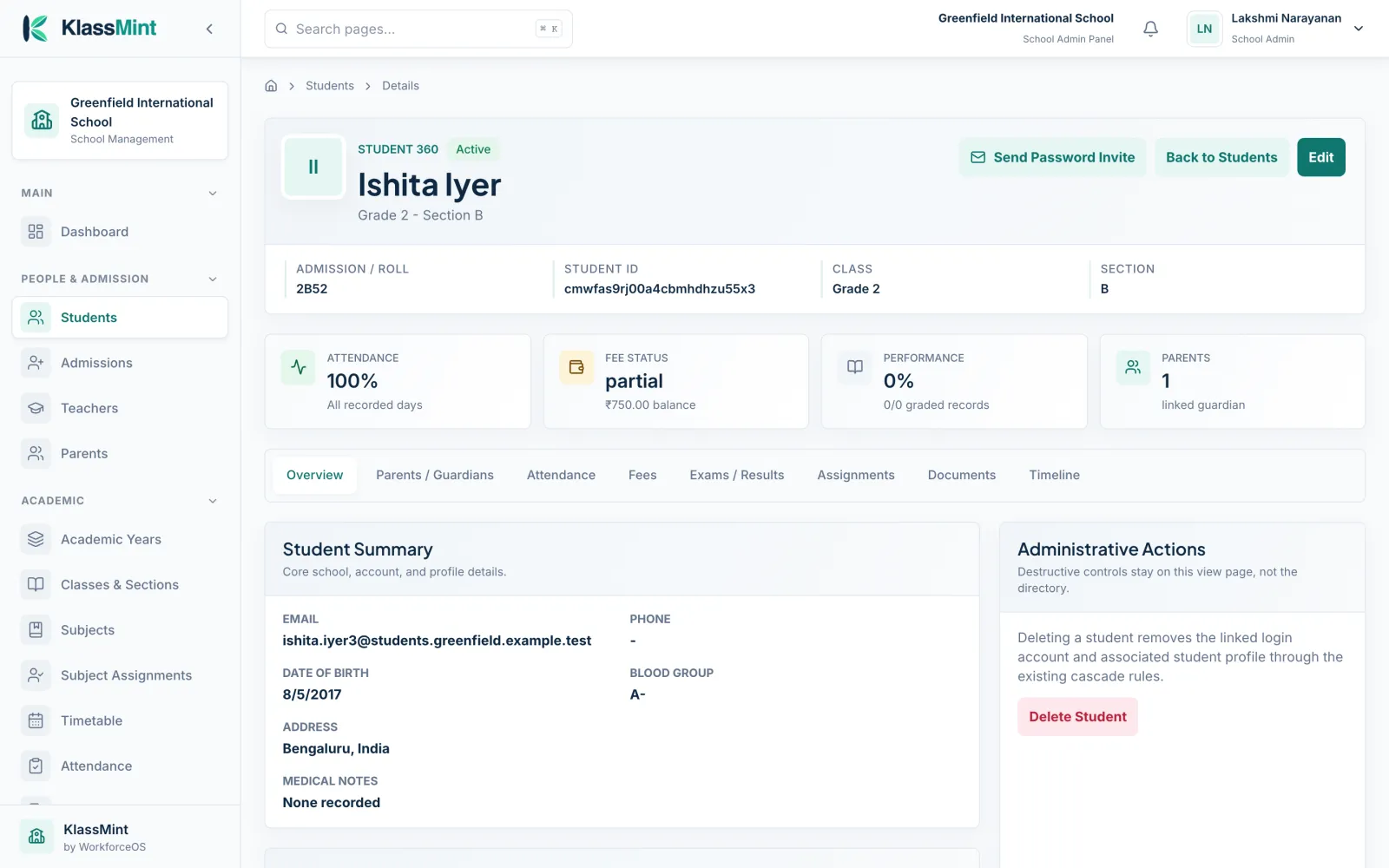
The whole school, one click away
Admissions, classes, staff, fees and notices are all in one place, and the 360 view of any student brings everything about them together.
- Student 360: attendance, fees, results and documents
- Classes, sections, branches and transport
- Fees, receipts, refunds and reminders
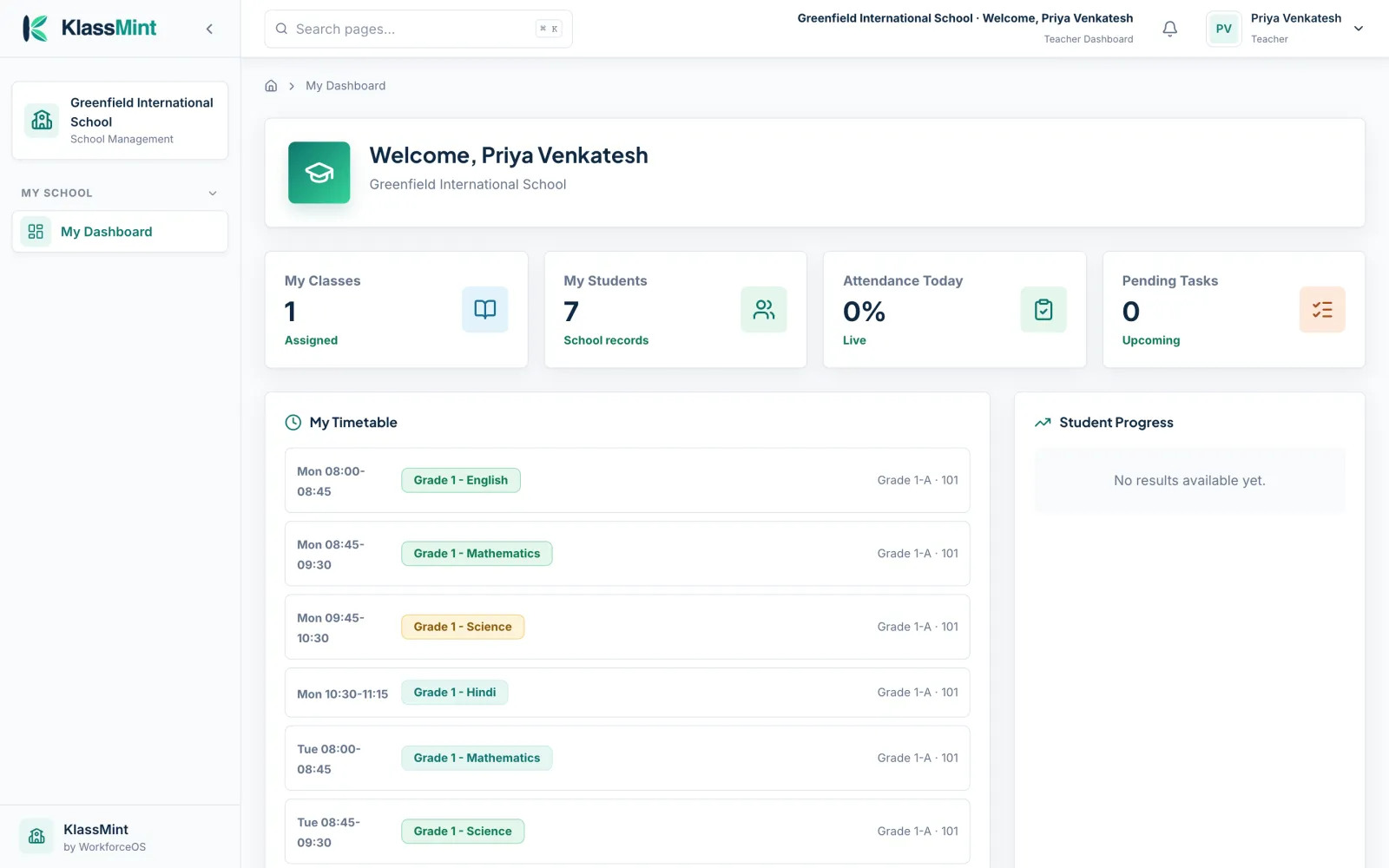
Less paperwork, more teaching
Teachers open KlassMint and see their classes, students and today’s timetable, then take attendance and post homework in minutes.
- My classes, students and timetable
- Attendance and homework
- Marks and grades for exams
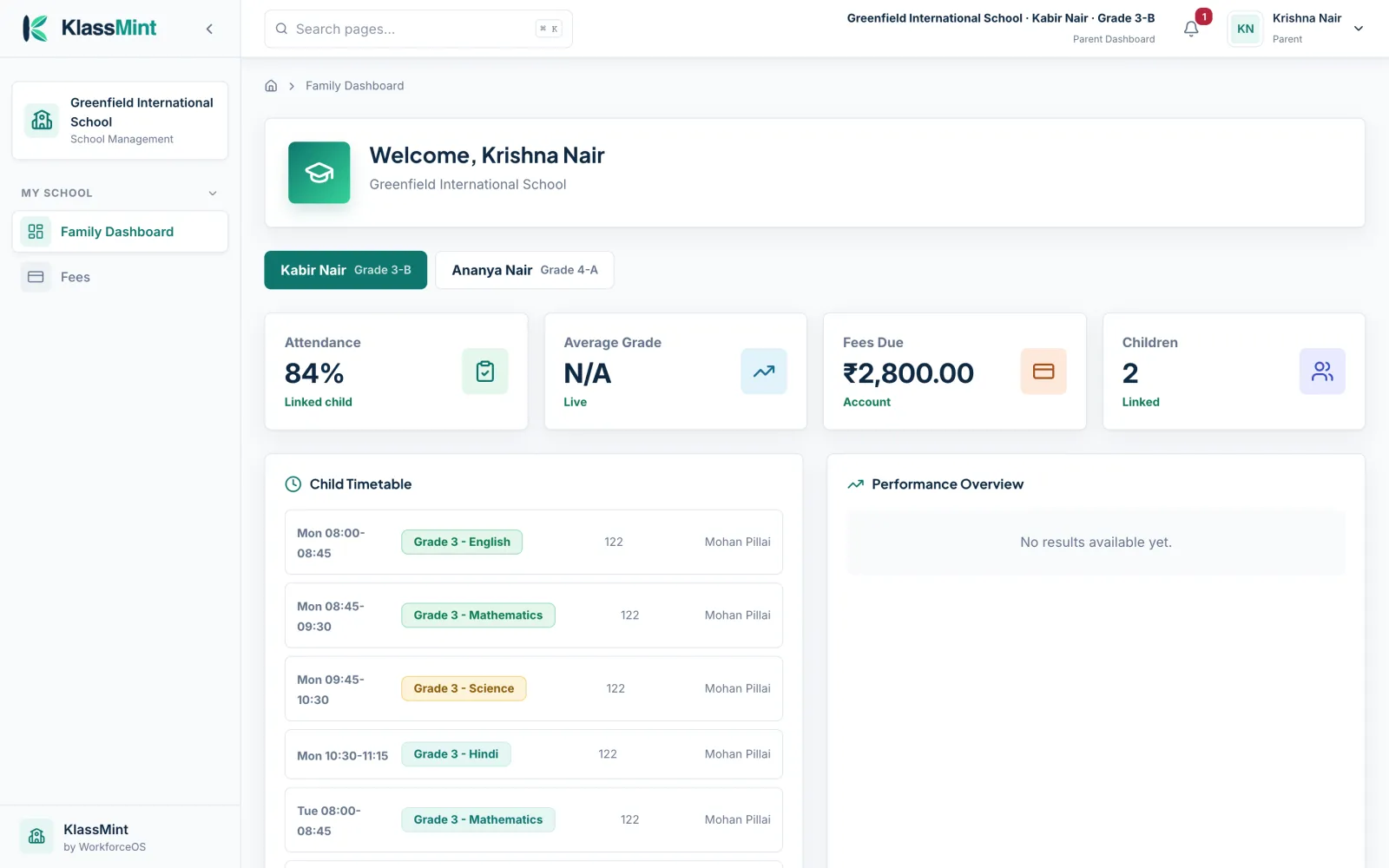
Close to school life, every day
Parents switch between their children to see attendance, timetable, homework, results and fees, and pay fees online when the school allows it.
- Switch between children
- Attendance, homework and results
- Fees and receipts
The whole school year, from admission to report card
Students, teachers and parents
Profiles, contacts and family links in one directory. Parents are linked to each of their children, so one sign-in covers the whole family.
Classes and sections
Organise the school into classes and sections, and assign teachers and students to them.
Branches
Run more than one campus from a single account, with each branch keeping its own classes, staff and records.
Transport
Set up transport routes and their stops, so the office knows how students get to and from school.
Attendance with percentage rules
Mark attendance by class in a few taps. Set your own rules, such as whether a late mark counts as present and the percentage below which a student is flagged.
Timetable
Build the weekly timetable for every section, so teachers, students and parents all see the same schedule.
Homework
Post homework with due dates for a class or section. Parents and students see it as soon as it is published.
Exams and grades
Set up exams, enter marks and grades, and share results with families when you are ready.
Online payments with Stripe and Razorpay
Parents pay by card and local payment methods through Stripe or Razorpay. Your school can allow full or partial payments.
Receipts and refunds
Every payment produces a receipt. Record refunds against the original payment so balances stay correct.
Email fee reminders
Send reminders by email to families with fees due, instead of chasing them one by one.
Multi-currency
Set your school’s currency and charge fees in it, wherever your school is.
Notices
Publish notices to the whole school, a class or a group, and keep a record of what was sent.
In-app and push notifications
People see new notices, homework and fee updates in the app, with push notifications on their phone.
360 views
Open a single view of a student, teacher, parent, class or fee account that brings attendance, academics, fees and messages together.
Private document storage
Store student and staff documents privately. Files are only shown to signed-in users who are allowed to see them.
School in your pocket, for parents and teachers
The KlassMint app for iPhone and Android is in testing now. It uses the same school account as the web, so there is nothing new to set up.
- Timetable, attendance and homework for each child
- Fees, part payments and receipts
- Notices as push notifications
Ready for the next school day in three steps
Create your school
Sign up and add your school's name, country and currency.
Add classes and people
Set up classes and sections, then add teachers and students.
Invite families
Send parents an invite so they can sign in and follow their children.
School records deserve extra care
KlassMint holds information about children and families, so we built it to show each person only what they should see.
Role-based access
Admins, teachers, parents and students each see only what their role allows.
Private documents
Documents are kept in private storage, never on a public link.
Hashed passwords
Passwords are stored as one-way hashes, never as plain text.
Trusted payments
Card details are entered on Stripe or Razorpay, not on KlassMint.
Schools kept apart
Each school’s records are scoped to that school only.
No trackers here
This website has no analytics, ad trackers or third-party fonts.
Bring your school onto KlassMint
Founding schools use KlassMint free for 12 months. Set up your school, invite your staff and see how it fits before you pay anything.